
MailComb reads your Gmail or Outlook mailbox on your own computer and turns it into a plain view of who's emailing you, what you're subscribed to, what's about to renew, and what still needs a reply. There's no MailComb server in the middle — the app talks directly to Google, Microsoft, and (for the parts that use AI) Anthropic, using your own Claude API key.
One Outlook mailbox free, forever. No account, no subscription. Mac now — Windows is coming soon.
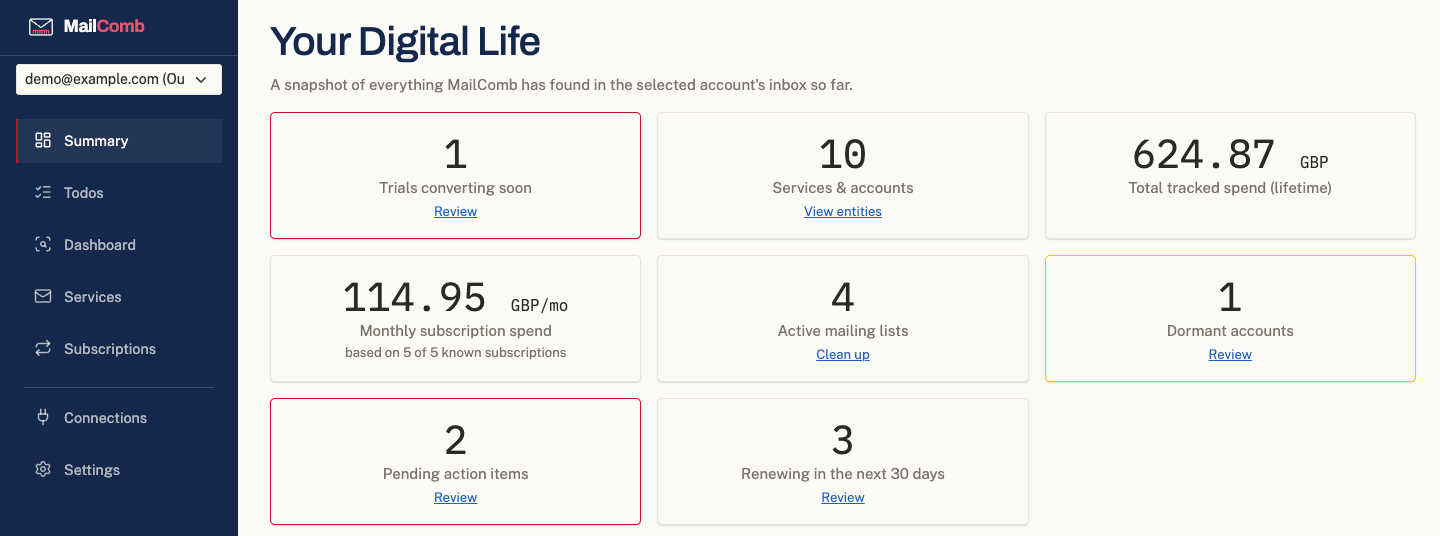
Every entity, subscription, and todo MailComb finds is written to a SQLite database in your own computer's app-data folder. Nothing is uploaded anywhere for MailComb to read.
Gmail and Outlook are connected through their own sign-in screens with read-only permission. Revoke it any time from your Google or Microsoft account settings — MailComb never sees your password.
The AI features (action items, dormant accounts, purchase detection) call Anthropic's Claude API using a key you provide, billed directly to your own Anthropic account. Only the specific email you ask it to scan is ever sent.
MailComb doesn't phone home. There's no telemetry SDK, no crash reporter, no usage analytics — because there's nowhere for that data to go that isn't a server MailComb deliberately doesn't run.
Everything below reads your mailbox's headers and metadata to build the picture. The AI-scanning features additionally read the content of the specific emails they scan.
Every service and sender you've heard from, grouped by domain, with a running history of what they've sent.
Mailing lists detected from List-Unsubscribe headers, with one-click unsubscribe where the sender supports it.
AI-scanned for anything that reads like it needs a reply, a form filled in, or a decision from you.
Old signups you've forgotten about — accounts created long ago with no activity since.
Upcoming subscription renewals and free trials about to convert to paid, flagged before they charge you.
A single list pulled together from action items, renewals, and dormant accounts, across every connected mailbox.
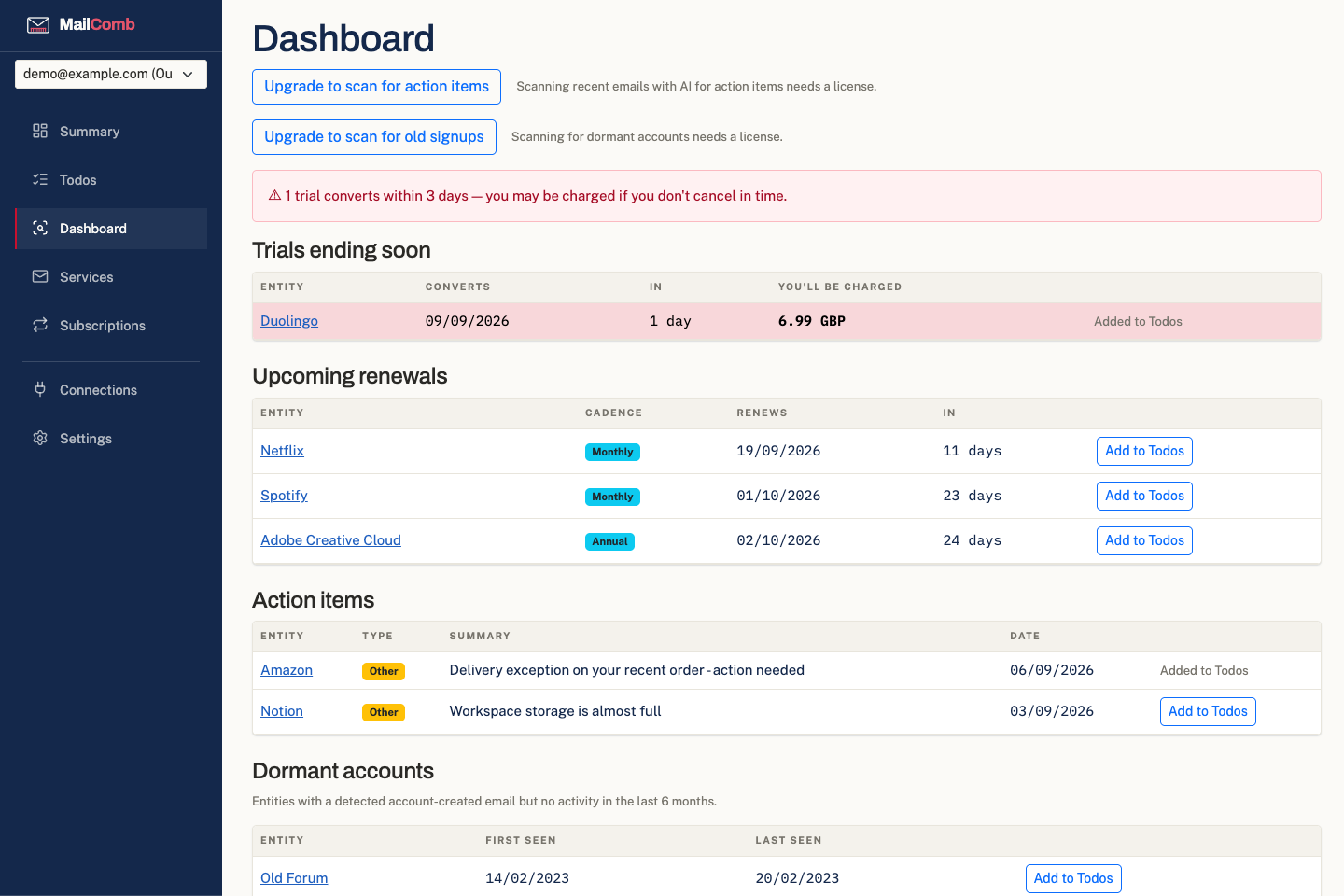
Everything worth your attention this week, in one place.
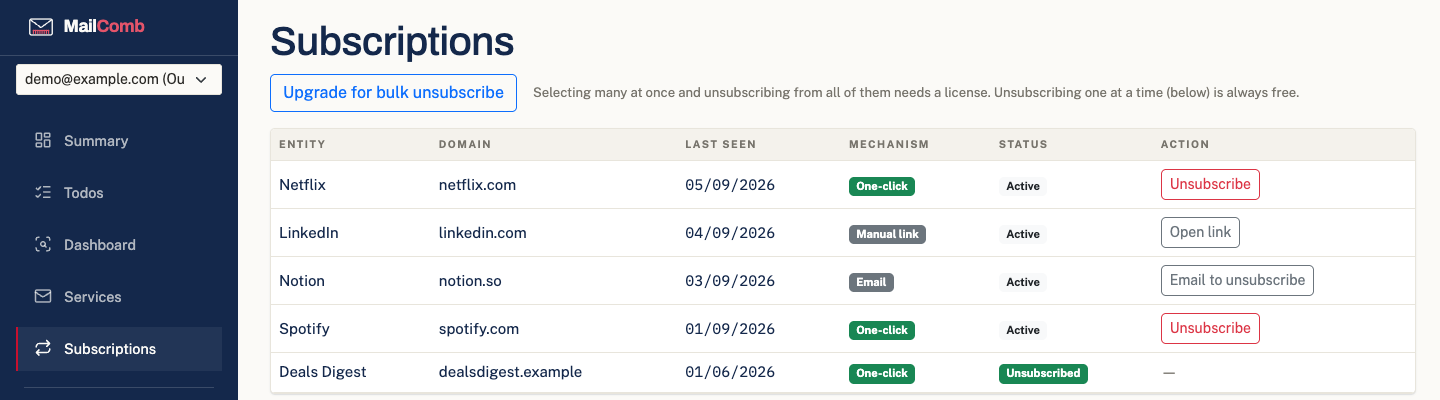
Every mailing list you're actually on, with a real unsubscribe button next to each one.
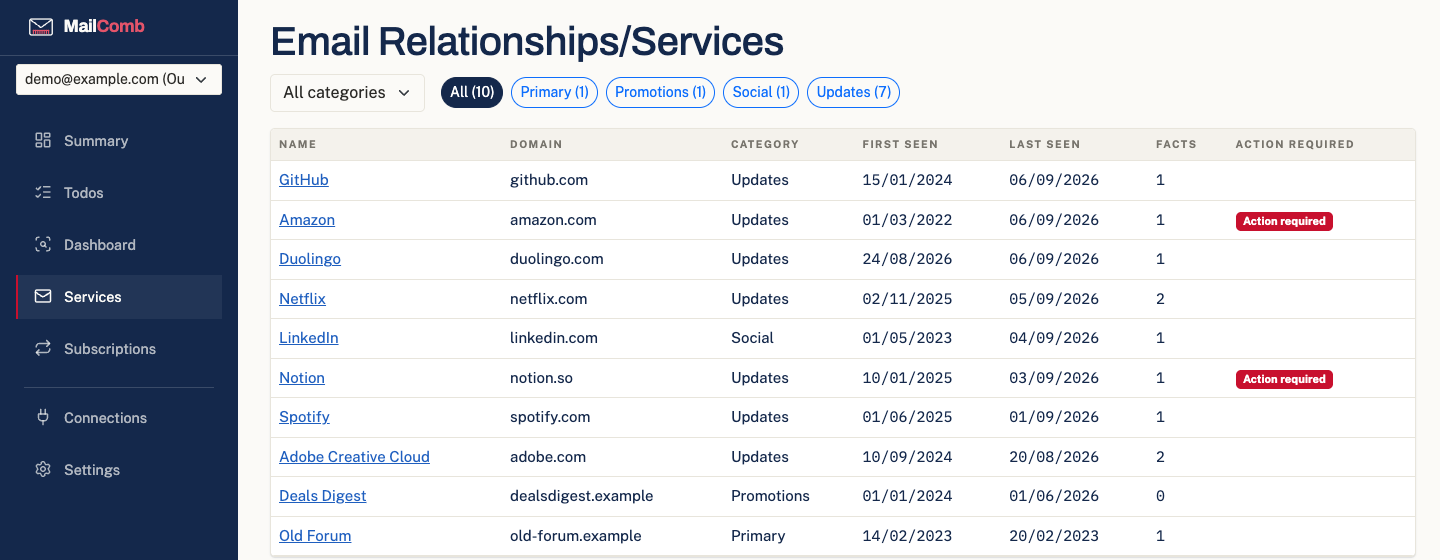
Every service that's ever emailed you, filterable by category, with what's still outstanding flagged.
A license unlocks MailComb for this computer, once. No recurring charge, no account required.
Enough to actually use every day.
For every mailbox, and everything AI-assisted.
Introductory price — rises to £21.99 when early access ends · one-time purchase · 7-day refund
The Mac app (macOS 12 or later, Apple Silicon and Intel) is signed and notarized by Apple and is almost ready to download. Get in touch and we'll let you know the moment it's up. Windows is coming soon — it isn't available yet.